
Power BI vs Tableau: Which Data Visualization Tool Is Better?
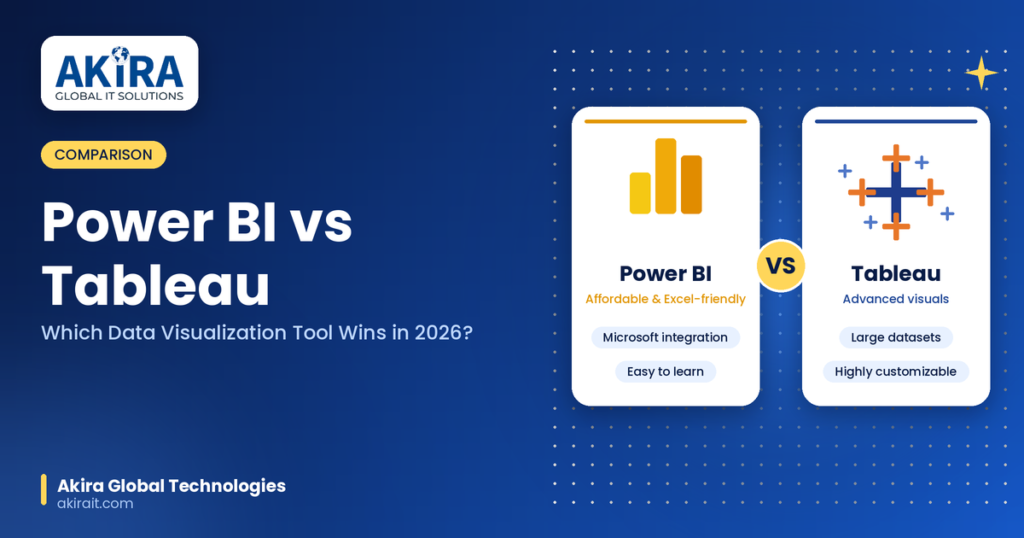
Choosing the right business intelligence tool can shape how effectively your organisation turns raw numbers into decisions. Power BI vs Tableau is a common comparison for businesses looking for the right data visualisation and business intelligence platform. Both tools help teams build interactive dashboards, uncover trends, and make data-driven decisions, but they take different approaches to data analysis and visualisation. If you are trying to decide which platform fits your business, your budget, and your team’s skill level, this Power BI vs Tableau comparison breaks down everything you need to know, including pricing, features, ease of use, performance, and real world use cases. What Is Power BI? Power BI is a business intelligence and data visualization tool developed by Microsoft. It is designed to help users connect to a wide range of data sources, transform raw data, and build interactive reports and dashboards. Power BI integrates deeply with the Microsoft ecosystem, including Excel, Azure, SharePoint, and Teams, which makes it a natural choice for organizations already using Microsoft 365 products. Power BI is known for being budget friendly, easy to learn for Excel users, and powerful enough to handle enterprise level reporting when paired with Power BI Premium or Power BI Service. What Is Tableau? Tableau, now owned by Salesforce, is one of the most popular data visualization tools used by analysts, data scientists, and business teams worldwide. Tableau is praised for its drag and drop interface, advanced visual analytics capabilities, and its ability to handle large, complex datasets with ease. Tableau is often the go to choice for organizations that prioritize visual storytelling, advanced analytics, and highly customizable dashboards over cost efficiency. Power BI vs Tableau: Key Differences at a Glance When it comes to data visualisation and business intelligence, Power BI and Tableau are two of the most popular tools, each with its own strengths. If you want to go deeper into these tools, check out our Tableau, Power BI and SQL Training Course. Here’s a quick side-by-side comparison of how they stack up: Feature Power BI Tableau Ease of Use Beginner friendly, especially for Excel users Steeper learning curve but highly flexible Pricing More affordable, starts at a lower monthly cost Generally more expensive, especially for large teams Data Visualization Good, improving rapidly Industry leading, best in class visuals Integration Best with Microsoft products Works well with Salesforce and many databases Performance Strong for medium sized datasets Excellent for large and complex datasets Customization Moderate Highly customizable Community Support Large and growing Large and mature 1. Ease of Use and Learning Curve One of the biggest deciding factors when comparing Power BI vs Tableau is how quickly your team can start using the tool effectively. Power BI has a familiar interface for anyone who has used Excel. Formulas in DAX, or Data Analysis Expressions, resemble Excel functions, which shortens the learning curve for business users and analysts. Microsoft also offers extensive documentation, tutorials, and a large community of users who share templates and solutions. Tableau, on the other hand, has a slightly steeper learning curve, especially when working with calculated fields, table calculations, and complex data blending. However, once mastered, Tableau gives users significantly more creative freedom in how data is displayed. Many professionals in data analytics and business intelligence roles consider Tableau skills a valuable addition to their resume because of the tool’s reputation for advanced visualization capabilities. If your team is new to data visualization tools, Power BI generally offers a smoother onboarding experience. If your team already has data analytics experience and wants more visual flexibility, Tableau may be worth the learning investment. 2. Pricing Comparison Cost is often the deciding factor for small businesses and startups choosing between these two platforms. Power BI pricing is significantly lower than Tableau in most cases. Power BI Pro is available at a low monthly cost per user, and Power BI Desktop, used for building reports, is free. For larger organizations, Power BI Premium offers additional capacity and features at a higher price point but still tends to be more cost effective than Tableau’s enterprise plans. Tableau pricing is generally higher across all tiers, including Tableau Creator, Tableau Explorer, and Tableau Viewer. While Tableau offers powerful capabilities, the cost can add up quickly for growing teams, making it a bigger investment for small and mid sized businesses. If budget is a primary concern, Power BI is usually the more affordable data visualization tool without sacrificing core functionality. 3. Data Visualization and Dashboard Capabilities When it comes to pure data visualization quality, Tableau has traditionally held the edge. Tableau offers a wider variety of chart types, more advanced formatting options, and greater flexibility in designing custom visuals. Its drag and drop interface makes it easy to experiment with different chart types until you find the best way to represent your data. Power BI has closed much of this gap in recent years. With regular updates, custom visuals from the marketplace, and improved formatting tools, Power BI dashboards now rival Tableau in many use cases. However, for highly complex or highly customized visualizations, Tableau still tends to offer more creative control. For most standard business reporting needs, Power BI provides more than enough visualization power. For advanced analytics teams that need pixel level control over visuals, Tableau remains the stronger choice. 4. Data Handling and Performance Both tools can connect to a wide range of data sources, including SQL databases, cloud platforms, Excel files, and third party APIs. Power BI performs well with small to medium sized datasets and integrates smoothly with Azure and other Microsoft data services. When working with extremely large datasets, performance can sometimes slow down, although Power BI Premium helps address this with dedicated capacity. Tableau is known for handling large and complex datasets more efficiently, especially when using its in memory data engine, Hyper. Organizations working with big data or requiring real time data analysis often prefer Tableau for its speed and scalability with massive datasets. If your organization regularly works with large
Java Full Stack Developer Roadmap 2026: Tools, Skills & Salary
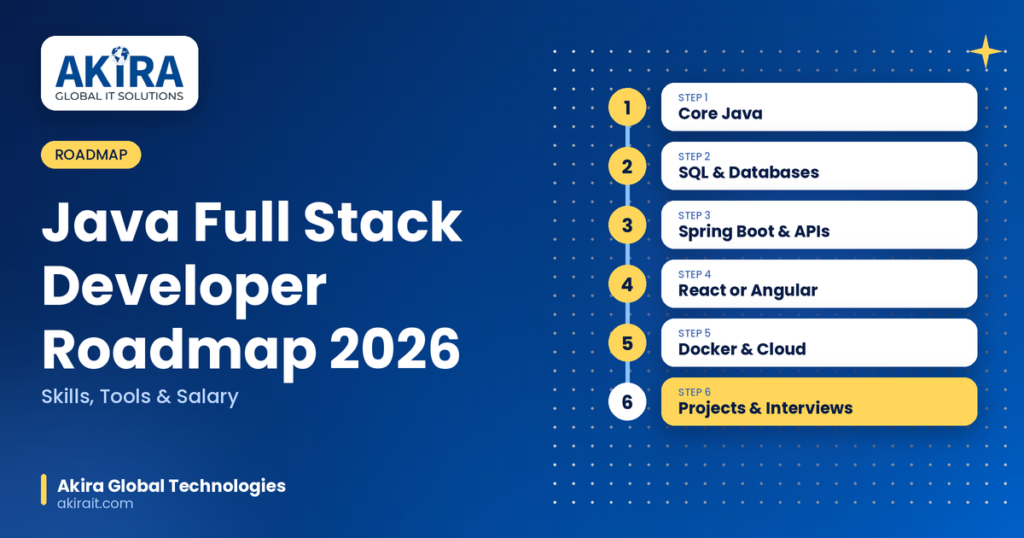
The demand for Java full stack developers continues to grow rapidly as companies look for professionals who can handle both frontend and backend development with equal confidence. If you are planning to start or advance your career in 2026, having a clear, structured Java full stack developer roadmap can save you months of confusion and help you focus on the skills that actually matter in the job market. This guide covers everything you need to know, including the core programming skills, essential tools, frameworks, databases, deployment technologies, and the latest salary trends for Java full stack developers in 2026. If you want structured, practical learning, explore our Java Full Stack Course to build the skills needed for modern full stack development. Who Is a Java Full Stack Developer? A Java full stack developer is a software engineer who can build both the client-facing side (frontend) and the server-side (backend) of web applications using Java as the primary backend language. This role requires knowledge of programming logic, databases, APIs, version control, cloud deployment, and modern UI frameworks like React or Angular. Full stack developers are highly valued because businesses prefer hiring one skilled professional who can manage an entire application lifecycle rather than separate frontend and backend specialists for smaller projects. Why Choose Java Full Stack Development in 2026? Java remains one of the most widely used programming languages in enterprise software development. Banks, healthcare systems, e-commerce platforms, and large-scale SaaS companies continue to rely heavily on Java based backend systems due to its stability, scalability, and strong ecosystem. Here are a few reasons why Java full stack development is still a smart career choice in 2026: Java Full Stack Developer Roadmap 2026 Below is a step by step roadmap broken down into manageable phases so you can build your skills in the right order. Step 1: Master Core Java Programming Before jumping into frameworks, you need a strong foundation in core Java concepts. This includes: A solid grip on core Java is non-negotiable because everything else in the backend ecosystem builds on top of it. Step 2: Learn Databases and SQL Every full stack application needs a database to store and retrieve data. You should learn: Step 3: Understand Backend Development with Spring Boot Spring Boot is the most widely used Java framework for building backend applications and REST APIs in 2026. Focus on: Spring Boot has become the industry standard because it drastically reduces boilerplate code and speeds up development time. Step 4: Learn Frontend Development A full stack developer must also be comfortable with frontend technologies. Start with the basics and move toward modern frameworks: React is currently the most in demand frontend library, but Angular remains popular in enterprise environments, so learning either one thoroughly is a good move. Step 5: Version Control and Collaboration Tools Every developer working in a team must know how to manage code changes efficiently. Learn: Step 6: Build and Consume RESTful APIs and Microservices Modern applications are built using microservices architecture rather than monolithic systems. You should understand: Step 7: Learn DevOps and Cloud Deployment Basics Employers in 2026 increasingly expect full stack developers to have basic DevOps knowledge. Focus on: Step 8: Testing and Quality Assurance Writing clean, bug free code is a critical skill. Learn: Step 9: Build Real World Projects Theory alone will not get you hired. Build practical projects such as: Deploy these projects on cloud platforms and showcase them on GitHub and your resume. Step 10: Prepare for Interviews Once your skills and projects are ready, focus on: You can also explore our Cloud Computing Course to strengthen your understanding of cloud platforms and deployment technologies Essential Tools for Java Full Stack Developers in 2026 Here is a quick reference list of the most important tools you should be comfortable with: Category Tools IDE IntelliJ IDEA, VS Code, Eclipse Backend Framework Spring Boot, Spring MVC, Spring Security Frontend Framework React.js, Angular Database MySQL, PostgreSQL, MongoDB Version Control Git, GitHub, GitLab API Testing Postman, Swagger Build Tools Maven, Gradle Containerization Docker, Kubernetes CI/CD Jenkins, GitHub Actions Cloud AWS, Azure, Google Cloud Testing JUnit, Mockito, Jest Java Full Stack Developer Salary in 2026 Salaries for Java full stack developers vary based on experience, location, company size, and skill set. Here is a general overview based on current industry trends. In India In the United States Salaries tend to be higher for developers who also have hands-on experience with cloud platforms, microservices, and DevOps tools, as these skills are increasingly bundled into full stack roles. Career Paths After Becoming a Java Full Stack Developer Once you gain solid experience as a Java full stack developer, several career paths open up: Tips to Speed Up Your Learning in 2026 Conclusion Becoming a Java full stack developer in 2026 requires a structured approach that combines core Java programming, backend frameworks like Spring Boot, frontend technologies like React or Angular, database management, and modern DevOps practices. The demand for skilled full stack developers is expected to remain strong, especially for those who combine traditional Java expertise with cloud and microservices knowledge. Follow this roadmap step by step, build real projects, and stay consistent with your learning. With the right skill set and portfolio, you can land high paying Java full stack developer roles in top companies across the globe. Frequently Asked Questions (FAQs) 1. Is Java full stack development still in demand in 2026? Yes, Java full stack development remains in high demand because most enterprise companies, banks, and large scale applications continue to rely on Java for backend systems, while frontend frameworks like React and Angular are widely used across industries. 2. How long does it take to become a Java full stack developer? On average, it takes six months to one year of consistent learning and practice to become job ready, depending on your prior programming knowledge and the number of hours you dedicate each week. 3. Which frontend framework should I learn with Java, React or Angular? React
Top 10 Data Engineering Tools You Must Learn in 2026
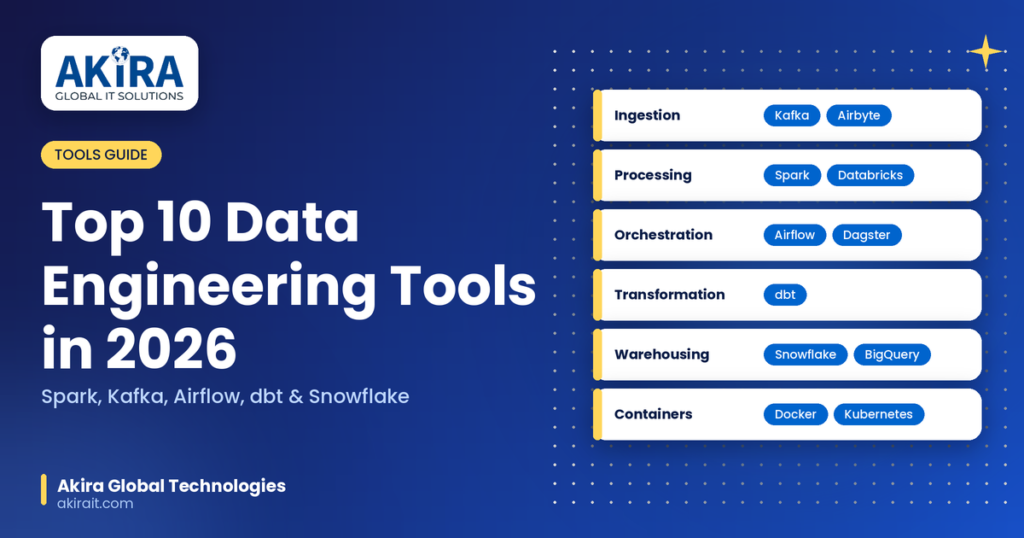
Data engineering continues to be one of the fastest growing career paths in the tech industry. As companies generate massive volumes of data every single day, the demand for skilled data engineers who can build, manage, and optimize data pipelines keeps climbing. If you want to stay competitive in 2026, mastering the right tools is no longer optional, it is essential. Whether you are a beginner exploring this career path or an experienced professional looking to upgrade your toolkit, this guide covers everything you need to know. In this blog, we will walk you through the top 10 data engineering tools you must learn in 2026 to future proof your career, sharpen your technical skill set, and stand out in a crowded job market. If you’re looking to build practical skills in modern data technologies, our Data Engineering Course can help you develop the knowledge needed to work with today’s data platforms and tools. Why Learning Data Engineering Tools Matters in 2026 Modern data engineering tools help teams collect, move, transform, and prepare data so that it is reliable and ready for analytics, machine learning, and business decision making. A typical data stack today is rarely built around one single tool. Instead, it combines multiple technologies for ingestion, transformation, orchestration, storage, and real time processing. Learning these tools gives you a strong foundation to work with big data, cloud computing, and AI driven analytics pipelines, which are all in high demand across industries in 2026. Top 10 Data Engineering Tools to Learn in 2026 1. Apache Spark Apache Spark remains one of the most popular data engineering tools for large scale data processing. It is an open source engine that handles both batch and real time data streams, enabling fast, distributed computation across clusters. Spark supports SQL queries, machine learning workflows, and graph processing, making it a versatile choice for data engineers working with big data. Why learn it: Spark is fault tolerant, highly scalable, and widely used across enterprises for building high performance data pipelines. 2. Apache Kafka Apache Kafka is the go to tool for building real time data pipelines and event streaming applications. Its publish subscribe model allows smooth communication between data producers and consumers, making it ideal for organizations that need to process data as it arrives rather than in batches. Why learn it: With real time analytics becoming a business necessity, Kafka skills are highly sought after for roles involving streaming data architecture. 3. Apache Airflow Apache Airflow is an open source workflow orchestration platform used to automate, schedule, and monitor complex data pipelines. It uses directed acyclic graphs, commonly known as DAGs, to define workflows programmatically in Python, which makes debugging and scaling pipelines much easier. Why learn it: Airflow has a strong open source community, frequent updates, and is a standard requirement in most data engineering job postings. 4. dbt (data build tool) dbt focuses on the transformation layer of the ETL and ELT process. It allows data engineers and analysts to transform raw data inside the data warehouse using simple SQL based models, while also enabling version control, testing, and documentation of data pipelines. Why learn it: dbt has become the industry standard for the transformation step of modern ELT workflows, especially when paired with cloud data warehouses. 5. Snowflake Snowflake is a cloud based data platform that offers a fully managed environment for storing and analyzing large volumes of structured and semi structured data, including formats like JSON and Parquet. Features like time travel and data cloning make recovery and development much more efficient. Why learn it: Snowflake’s scalability and ease of use have made it one of the most in demand cloud data warehousing skills in 2026. Building knowledge of cloud platforms can also help data engineers work more effectively with modern data infrastructure. Explore our Cloud Computing Training Course to strengthen your understanding of cloud technologies. 6. Google BigQuery Google BigQuery is a serverless, highly scalable data warehouse designed for fast SQL based analytics on massive datasets. It integrates seamlessly with other Google Cloud services and supports real time analytics at enterprise scale. Why learn it: As more companies migrate to cloud native infrastructure, BigQuery expertise is increasingly valuable for cloud data warehousing roles. 7. Databricks Databricks provides a unified platform that brings together data engineering, data science, and machine learning workflows in one place. Built on top of Apache Spark, it simplifies collaboration between teams and accelerates the development of AI and analytics solutions. Why learn it: Databricks bridges the gap between data engineering and AI, a combination that is increasingly valuable as companies scale their machine learning initiatives. 8. Airbyte Airbyte is a modern, open source data integration tool built for simplicity and extensibility. It connects to popular data sources such as APIs, databases, and SaaS platforms, automating the extraction and syncing process through prebuilt connectors. Why learn it: Airbyte simplifies ELT pipeline creation and is gaining rapid adoption as an alternative to older, more expensive integration tools. 9. Docker and Kubernetes Docker allows data engineers to package applications and their dependencies into portable containers, while Kubernetes manages and scales these containers across clusters. Together, they form the backbone of modern, cloud native data infrastructure. Why learn it: Containerization skills are essential for deploying scalable, reliable data pipelines in production environments. 10. Dagster Dagster is a modern orchestration tool designed for building, testing, and monitoring data pipelines with a strong focus on data quality and observability. It offers a developer friendly experience with better debugging capabilities compared to some legacy orchestration tools. Why learn it: As data observability becomes a priority for data teams, Dagster is emerging as a strong alternative to traditional orchestration platforms. How to Choose the Right Data Engineering Tools With so many data engineering tools available, selecting the right ones can feel overwhelming. Here are a few key factors to consider before you start learning: Final Thoughts The data engineering landscape in 2026 is shaped by cloud native platforms, real time streaming,
Data Engineer vs Data Scientist vs Data Analyst: Which Career Is Right for You?
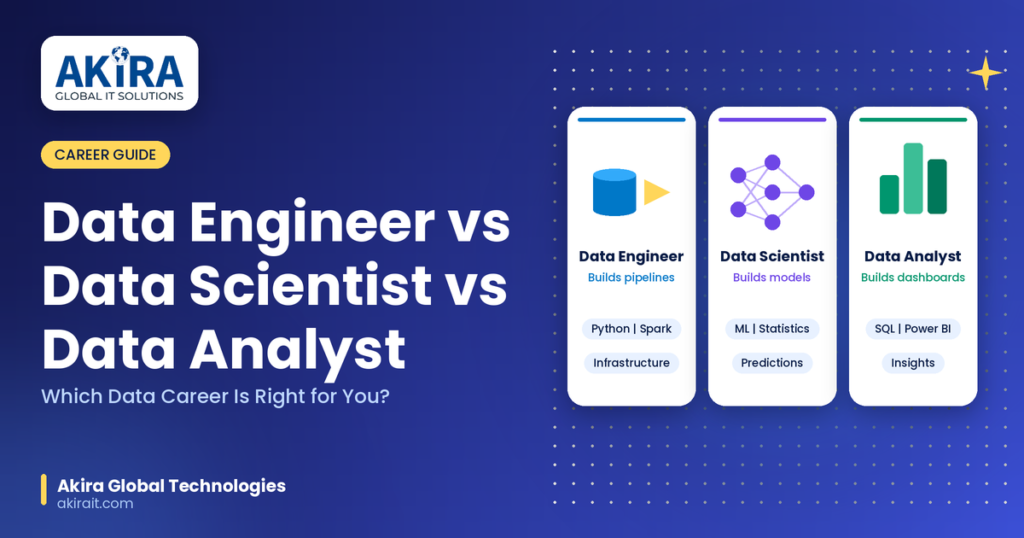
The data industry is booming, and if you’re exploring a career in this space, you’ve probably run into three job titles that seem to overlap constantly: Data Engineer, Data Scientist, and Data Analyst. Understanding the difference between data engineer vs data scientist can help you identify which role aligns better with your skills and career goals. Choosing the right path can feel overwhelming, especially when job descriptions blur the lines between these positions. In this comprehensive guide, we’ll break down what each role actually does, the skills and tools required, average salaries, career growth potential, and – most importantly – how to figure out which data career is the best fit for your strengths and interests. Why This Comparison Matters in 2026 Companies across every industry are becoming data-driven, and demand for data professionals continues to grow year over year. According to multiple industry reports, roles like data scientist, data analyst, and data engineer consistently rank among the fastest-growing and highest-paying tech jobs. But “data job” is not a one-size-fits-all category. Picking the wrong specialization early on can mean months of misaligned learning, so understanding the distinctions now will save you time, money, and frustration later. What Does a Data Engineer Do? A Data Engineer is the architect and builder of the data ecosystem. They design, construct, and maintain the pipelines and infrastructure that collect, store, and move data from one system to another. Without data engineers, there would be no clean, reliable data for analysts and scientists to work with in the first place. Core Responsibilities of a Data Engineer Key Skills and Tools Who Should Become a Data Engineer? If you enjoy backend development, system design, and solving infrastructure-level problems, data engineering is likely your calling. This role suits people who like building robust, scalable systems rather than performing analysis themselves. A strong foundation in computer science or software engineering is a major advantage here. What Does a Data Scientist Do? A Data Scientist uses statistical methods, machine learning, and programming to extract insights and build predictive models from data. They go beyond describing what happened – they focus on predicting what will happen next and often build the algorithms that power recommendation engines, fraud detection systems, and AI-driven products. Core Responsibilities of a Data Scientist Key Skills and Tools Who Should Become a Data Scientist? If you love mathematics, statistics, and experimenting with algorithms to solve complex problems, data science could be your ideal fit. This role demands strong analytical thinking combined with programming skills, plus the ability to translate technical results into business value. Advanced degrees (Master’s or PhD) are common, though not always mandatory. What Does a Data Analyst Do? A Data Analyst interprets existing data to help organizations make informed business decisions. Unlike data scientists who build predictive models, analysts primarily focus on descriptive and diagnostic analytics – explaining what happened and why, using dashboards, reports, and visualizations. Core Responsibilities of a Data Analyst Key Skills and Tools Who Should Become a Data Analyst? If you enjoy uncovering patterns in data and communicating those insights clearly to business teams, data analytics is a great entry point. This role is ideal for beginners since it typically requires a shorter learning curve compared to data science or data engineering, making it one of the most accessible ways to break into the data industry. Data Engineer vs Data Scientist vs Data Analyst: Key Differences Aspect Data Engineer Data Scientist Data Analyst Primary Focus Building data infrastructure Predictive modeling & ML Interpreting existing data Core Skill Software engineering Statistics & ML SQL & visualization Output Pipelines, databases ML models, predictions Reports, dashboards Coding Level Advanced Advanced Basic to intermediate Math/Stats Level Low to moderate High Moderate Entry Difficulty Moderate to hard Hard Easier Typical Background CS/Software Engineering Statistics/Math/CS Business/Statistics Salary Comparison: Which Data Career Pays More? When comparing data engineer vs. data scientist salaries, compensation varies significantly by location, experience, specialisation, and company size: While exact figures shift with market conditions, all three roles remain among the highest-paying and most in-demand careers in the tech industry today. Career Growth Paths Data Engineer Career Path Data Engineer → Senior Data Engineer → Data Architect → Head of Data Engineering / Data Platform Lead Data Scientist Career Path Data Analyst/Junior Data Scientist → Data Scientist → Senior Data Scientist → Lead Data Scientist → Head of Data Science / AI Data Analyst Career Path Junior Data Analyst → Data Analyst → Senior Data Analyst → Analytics Manager → Director of Analytics Interestingly, many professionals start as data analysts and later transition into data science or data engineering once they build stronger programming and technical skills – making the analyst role a common and practical entry point into the broader data field. How to Choose the Right Data Career for You Ask yourself these questions to identify the best fit: 1. Do you enjoy building systems and infrastructure more than analyzing data? Choose Data Engineering. 2. Are you fascinated by statistics, algorithms, and predictive modeling? Choose Data Science. 3. Do you like uncovering business insights and communicating them visually? Choose Data Analytics. 4. Do you prefer backend, software-heavy work over experimentation? Data Engineering suits you best. 5. Are you comfortable with ambiguity and enjoy research-driven problem solving? Data Science is likely a strong match. 6. Are you just starting out and want a faster entry into the data industry? Data Analytics offers the most accessible starting point. There’s also no rule that says you must pick just one path forever. Many professionals blend skills across these roles – for instance, “analytics engineers” combine data engineering and analytics skills, while some data scientists take on engineering responsibilities in smaller companies. Skills That Overlap Across All Three Roles Regardless of which path you choose, certain foundational skills will serve you well across all data careers: Building strong fundamentals in these areas keeps your options open, even if you later decide to specialize or switch between roles. Final Thoughts There’s no universally “best”
How to Become a Data Engineer in 2026: Step-by-Step Roadmap
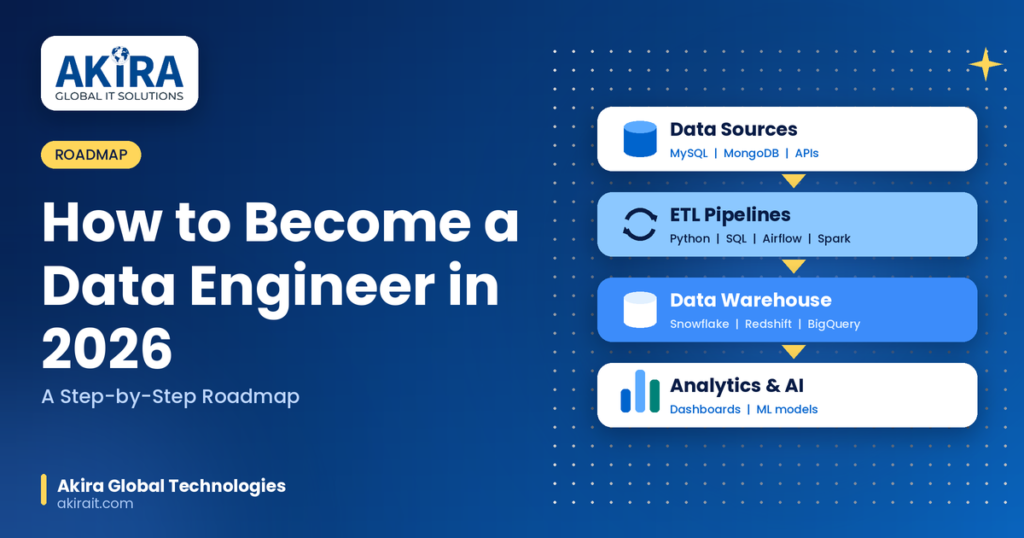
Data is the backbone of every modern business, and someone has to build the pipelines, warehouses, and systems that keep it flowing. That someone is a data engineer. If you’re exploring a career in data engineering, 2026 is one of the best years to start, thanks to rising demand for professionals who can manage big data, cloud platforms, and AI-driven systems. This blog walks you through a complete, practical roadmap about how to become a data engineer, covering the skills you need, the tools you should learn, certifications worth pursuing, and the career path ahead. What Does a Data Engineer Do? A data engineer designs, builds, and maintains the infrastructure that allows organizations to collect, store, and process large volumes of data. Unlike data analysts or data scientists who focus on interpreting data, data engineers focus on making sure clean, reliable data is available for analysis in the first place. Typical responsibilities include: Why Data Engineering Is a High-Demand Career in 2026 Every industry -from healthcare to fintech to e-commerce -depends on data-driven decisions. As companies generate more data than ever, the need for skilled data engineers who can build scalable pipelines has grown significantly. Data engineering jobs consistently rank among the highest-paying tech roles, and the field offers strong long-term career growth compared to many other IT jobs. With the rise of AI and machine learning, data engineers are also becoming essential for preparing the clean datasets that power AI models. How to Become a Data Engineer in 2026: Step-by-Step Roadmap Step 1: Build a Strong Foundation in Programming Before diving into data engineering tools, you need to build essential data engineering skills, starting with solid programming knowledge. Python is the most widely used language in data engineering because of its simplicity and rich ecosystem of libraries. SQL is equally important since almost every data pipeline interacts with relational databases at some point. Focus on: Step 2: Learn Database Management Systems A data engineer must understand both relational and non-relational databases. Get comfortable with: Step 3: Master ETL Pipelines and Data Warehousing ETL pipeline development is at the core of data engineering. Learn how to extract data from multiple sources, transform it into a usable format, and load it into a data warehouse. Key concepts to learn: Step 4: Get Hands-On With Big Data Tools As data volumes grow, traditional systems aren’t enough. Big data tools help process massive datasets efficiently. Focus on: Step 5: Learn Cloud Platforms for Data Engineering Cloud computing skills are now essential, since most companies run their data infrastructure on the cloud rather than on-premise servers. Choose one major cloud platform to start and expand later. If you’re serious about building cloud expertise alongside data engineering skills, Akira IT Solutions DevOps course can help you understand cloud deployment and automation, which pairs well with data pipeline development. Step 6: Understand Data Pipeline Automation and Orchestration Modern data engineering relies heavily on automation to keep pipelines running smoothly without manual intervention. Learn tools such as: Step 7: Work on Real-Time Projects Theory alone won’t make you job-ready. Building real-world projects is what separates a strong data engineering resume from an average one. Try projects like: Adding these projects to your portfolio demonstrates practical skills to potential employers far better than certificates alone. Step 8: Get Certified While not mandatory, certifications validate your skills and boost your resume. Popular data engineering certifications include: Structured, mentor-led training can help you prepare for these certifications faster than self-study alone. Akira IT Solutions offers a dedicated Data Engineering course with real-time projects and expert mentorship -you can check the full curriculum. Step 9: Prepare for Job Interviews Once your skills and portfolio are ready, focus on interview preparation: If you want personalized interview preparation and job support, Akira IT Solutions provides placement assistance, resume optimization, and mock interviews as part of its training programs. Data Engineer Salary in 2026 Data engineering remains one of the highest-paying roles in the IT industry. Salaries vary based on experience, location, and skill set, but professionals with cloud and big data expertise typically command a premium over those with only traditional database skills. Entry-level data engineers can expect competitive starting packages, while experienced professionals with cloud certifications and big data expertise can earn significantly higher salaries in India and abroad. Data Engineer vs Data Scientist: What’s the Difference? Many beginners confuse data engineering with data science. Here’s a quick breakdown: In short, data engineers make the data usable, and data scientists use it to solve problems. Both roles work closely together, but data engineering focuses more on infrastructure, coding, and systems design. Skills Checklist for Aspiring Data Engineers How Akira IT Solutions Can Help You Become a Data Engineer Learning data engineering on your own can be overwhelming given the sheer number of tools and technologies involved. Structured, mentor-led training helps you learn faster and avoid common mistakes. Akira IT Solutions’ Data Engineering program is designed around real-time projects, industry-aligned curriculum, and expert mentorship, helping learners go from fundamentals to job-ready skills. Conclusion Becoming a data engineer in 2026 requires a mix of programming skills, database knowledge, big data tools, and cloud expertise, backed by real-world project experience. It’s a career path with strong demand, excellent salary potential, and long-term growth opportunities as businesses continue to rely on data and AI. With the right roadmap and consistent practice, you can build the skills employers are actively looking for. This blog walks you through a complete, practical data engineer roadmap 2026, covering the skills you need, the tools you should learn, certifications worth pursuing, and the career path ahead. Ready to start your data engineering career? Contact Akira IT Solutions today to enroll in our Data Engineering course and take the first step toward a high-paying, future-proof career. Frequently Asked Questions (FAQs) 1. Is data engineering a good career choice in 2026? Yes, With businesses generating massive amounts of data and relying heavily on AI and analytics, skilled data engineers are in high
How to Become a DevOps Engineer: Roadmap & Salary Guide (2026)
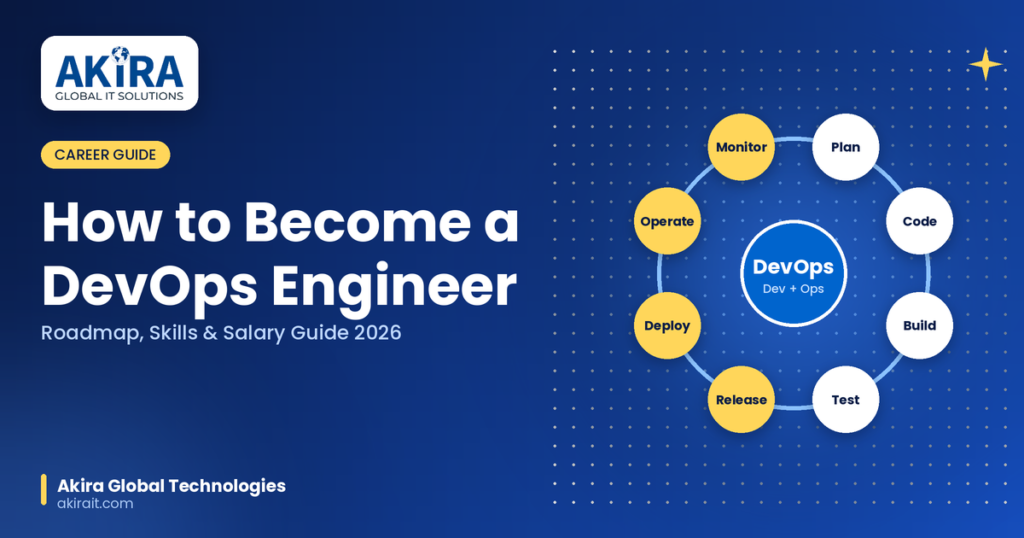
DevOps has become one of the most in-demand careers in the IT industry, and for good reason. Companies across the globe are racing to automate their software delivery pipelines, and they need skilled professionals to make it happen. If you’re wondering how to become a DevOps engineer, you’ve landed in the right place. At Akira Global Technologies, we work with aspiring tech professionals every day, and this guide breaks down everything – from the skills you need to the DevOps engineer salary you can expect in 2026. What is DevOps and Why is it a High-Paying Career? DevOps is a combination of “Development” and “Operations” – a culture and set of practices that bring software developers and IT operations teams together to build, test, and release software faster and more reliably. Instead of working in silos, DevOps engineers use automation, continuous integration/continuous deployment (CI/CD), and cloud infrastructure to speed up the entire software lifecycle. Because DevOps engineers sit at the intersection of coding, cloud, and infrastructure, they are among the highest-paid and most sought-after professionals in tech today. Organizations like Amazon, TCS, Wipro, Infosys, and Accenture are constantly hiring for this role, which keeps demand – and salaries – consistently high. How to Become a DevOps Engineer: Step-by-Step Roadmap If you’re starting from scratch, this practical roadmap explains how to become a DevOps engineer step by step. Step 1: Learn the Fundamentals of Linux and Networking Most production servers run on Linux, so understanding the Linux command line, file systems, permissions, and shell scripting is non-negotiable. Pair this with basic networking concepts like DNS, HTTP/HTTPS, load balancing, and firewalls. Step 2: Master a Programming or Scripting Language You don’t need to be a full-stack developer, but you do need scripting skills. Python and Bash are the most popular choices for automating tasks, writing deployment scripts, and building tools. Step 3: Understand Version Control with Git and GitHub Every DevOps workflow starts with source code management. Learn Git commands, branching strategies, pull requests, and how to work with platforms like GitHub, GitLab, or Bitbucket. Step 4: Get Hands-On with CI/CD Tools Continuous Integration and Continuous Deployment (CI/CD) is at the heart of DevOps. Learn tools like Jenkins, GitLab CI/CD, GitHub Actions, or CircleCI to automate build, test, and deployment pipelines. Step 5: Learn Containerization with Docker and Kubernetes Docker and Kubernetes skills are now considered essential for any DevOps engineer. Docker helps you package applications into containers, while Kubernetes helps you orchestrate and scale those containers in production environments. Step 6: Get Cloud Certified (AWS, Azure, or GCP) Cloud computing skills are one of the biggest salary boosters in DevOps. If you’re looking to build practical skills across cloud platforms, explore Akira Global Technologies’ Cloud Computing Course. AWS remains the most in-demand platform, followed by Microsoft Azure (especially in enterprise and banking) and Google Cloud Platform (growing fast in data and AI-driven companies). Consider certifications like AWS Certified DevOps Engineer or Azure DevOps Engineer Expert. Step 7: Learn Infrastructure as Code (IaC) Tools like Terraform and Ansible let you manage infrastructure through code instead of manual configuration. This is a critical skill that separates junior DevOps engineers from senior ones. Step 8: Understand Monitoring and Logging Tools Learn monitoring and observability tools like Prometheus, Grafana, ELK Stack, or Datadog to track application performance and system health in real time. Step 9: Build Real Projects and a Portfolio Set up your own CI/CD pipeline, deploy a containerized application on Kubernetes, or automate infrastructure provisioning with Terraform. Recruiters want to see practical, hands-on experience – not just theory. Step 10: Apply for Internships or Entry-Level DevOps Roles Once you have the fundamentals and a portfolio, start applying for junior DevOps engineer, cloud support engineer, or site reliability engineer (SRE) roles to get your foot in the door. At Akira Global Technologies, we’ve seen learners follow this exact roadmap to move from beginner to job-ready DevOps professionals within 6–12 months of focused effort. Essential DevOps Engineer Skills You Must Have To become a DevOps engineer, you need to build expertise in the following technical and soft skills DevOps Certifications That Boost Your Career Certifications can significantly improve your credibility and salary potential. Some of the most valuable ones include: DevOps Engineer Salary Guide 2026 (India & Global) One of the biggest reasons people choose this career path is the strong DevOps engineer salary potential. Here’s a breakdown based on the latest 2026 market data. DevOps Engineer Salary in India by Experience Experience Level Average Annual Salary (INR) Fresher (0–1 year) ₹4 – 6 LPA Early Career (1–4 years) ₹6 – 10 LPA Mid-Level (3–6 years) ₹7 – 15 LPA Senior (5+ years) ₹15 – 25+ LPA Lead/Principal Engineer ₹25 – 40 LPA and above Salary data compiled from multiple 2026 industry sources shows that fresh DevOps engineers with Linux, Git, and basic AWS/CI-CD knowledge typically start around ₹4–6 LPA, while those with Docker and Kubernetes certifications can begin even higher, around ₹5–8 LPA, even without prior experience. On the higher end, professionals with strong Kubernetes, Terraform, and AWS skills are consistently ranked among the highest-paid mid-level tech professionals in India in 2026, largely because large-scale cloud adoption has turned infrastructure-as-code expertise into a premium, high-value skill. Factors That Influence DevOps Salary DevOps Engineer Salary Outside India Globally, especially in the US and Europe, DevOps salaries are considerably higher due to cost-of-living differences and demand for cloud-native talent. Entry-level roles abroad often start well above their Indian counterparts, with senior and lead DevOps engineers commanding six-figure salaries in USD. Career Path: From Junior to Senior DevOps Engineer Understanding how to become a DevOps engineer is the first step; building experience and continuously developing your technical skills can help you progress through different career levels. How Akira Global Technologies Can Help You Become a DevOps Engineer Breaking into DevOps can feel overwhelming with so many tools and technologies to learn. That’s where Akira Global Technologies comes in. We help learners and professionals build practical, job-ready
Top 10 DevOps Tools Every Engineer Must Know in 2026
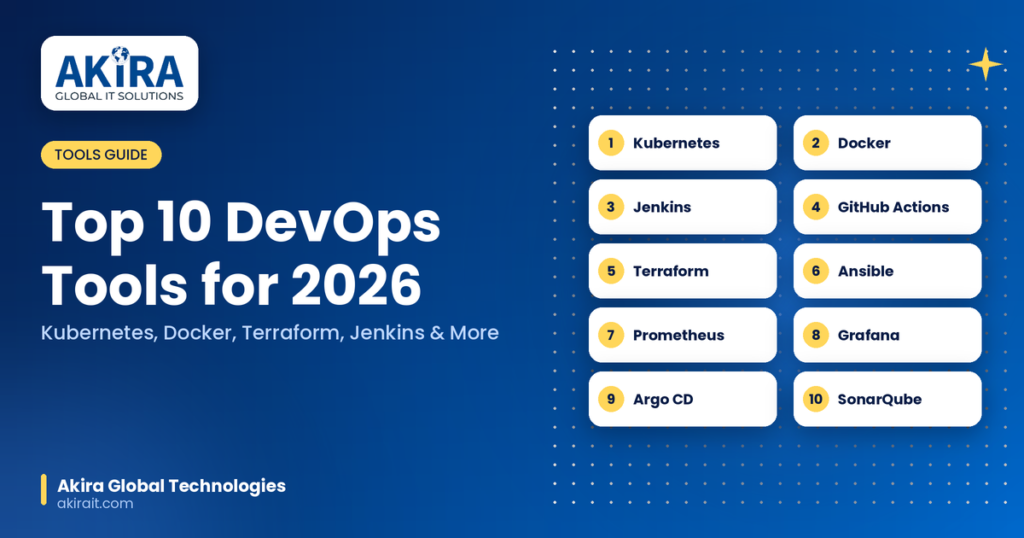
DevOps has become the foundation of modern software development, helping organizations accelerate delivery cycles, improve collaboration, and maintain reliable infrastructure. As businesses continue adopting cloud-native technologies, automation, and continuous deployment practices, mastering the right DevOps tools is essential for engineers aiming to stay competitive. This guide explores the top DevOps tools 2026 that every engineer should know, including their features, benefits, and use cases. Why DevOps Tools Are Essential for Modern Software Development DevOps tools 2026 streamline the software development lifecycle by automating repetitive tasks, enhancing collaboration between development and operations teams, and ensuring faster, more reliable deployments. Key benefits include: Let’s explore the most widely used DevOps tools shaping the industry in 2026. 1. Kubernetes – Best Container Orchestration Tool for DevOps Kubernetes remains the industry standard for container orchestration. Organizations use it to automate deployment, scaling, and management of containerized applications. Key Features of Kubernetes Why Engineers Should Learn Kubernetes As microservices architectures continue to dominate software development, Kubernetes skills are among the most sought-after DevOps competencies. Use Cases: 2. Docker – Leading Containerization Platform for Application Deployment Docker revolutionized software packaging by enabling developers to build applications once and run them consistently across different environments. Key Features of Docker Benefits of Docker in DevOps Docker eliminates the “works on my machine” problem and simplifies application portability across development, testing, and production environments. Use Cases: 3. Jenkins – Popular CI/CD Automation Tool Jenkins remains one of the most widely used Continuous Integration and Continuous Delivery (CI/CD) tools. Key Features of Jenkins Why Jenkins Remains Relevant in 2026 Its flexibility and large community support make Jenkins a preferred choice for organizations requiring customized automation pipelines. Use Cases: 4. GitHub Actions – Best CI/CD Tool for GitHub Repositories GitHub Actions has become a preferred DevOps automation solution for teams using GitHub. Key Features of GitHub Actions Benefits for DevOps Teams Developers can automate testing, deployment, code reviews, and infrastructure provisioning directly within GitHub. Use Cases: 5. Terraform – Top Infrastructure as Code (IaC) Tool Terraform is one of the most important Infrastructure as Code tools used to provision and manage cloud infrastructure. Key Features of Terraform Why Terraform Is Essential in DevOps Terraform enables teams to manage infrastructure consistently across AWS, Azure, Google Cloud, and on-premises environments. Use Cases: 6. Ansible – Best Configuration Management Tool Ansible simplifies configuration management, application deployment, and IT automation. Key Features of Ansible Advantages of Ansible Its simplicity makes it ideal for organizations seeking efficient automation without complex setup requirements. Use Cases: 7. Prometheus – Powerful Monitoring and Alerting Tool Prometheus has become a leading monitoring solution for cloud-native environments. Key Features of Prometheus Why Monitoring Matters in DevOps Continuous monitoring helps teams detect issues early, improve application performance, and maintain high availability. Use Cases: 8. Grafana – Best DevOps Dashboard and Visualization Tool Grafana works alongside monitoring tools like Prometheus to provide rich visual dashboards and analytics. Key Features of Grafana Benefits of Grafana Grafana enables DevOps teams to gain actionable insights from operational data and system metrics. Use Cases: 9. Argo CD – Leading GitOps Continuous Delivery Tool Argo CD is a GitOps-based continuous delivery platform designed for Kubernetes environments. Key Features of Argo CD Why GitOps Is Growing in Popularity GitOps improves deployment consistency, security, and auditability by treating Git repositories as the single source of truth. Use Cases: 10. SonarQube – Best Code Quality and Security Analysis Tool SonarQube helps organizations maintain code quality while identifying vulnerabilities and technical debt. Key Features of SonarQube Importance of Code Quality in DevOps Maintaining high-quality code reduces production issues, improves maintainability, and enhances software security. Use Cases: How to Choose the Best DevOps Tools in 2026 Selecting the right DevOps tools depends on several factors. If you’re looking to learn these tools through practical training, explore Akira Global Technologies’ DevOps Course. Consider These Criteria Many organizations combine multiple tools to create a complete DevOps ecosystem that supports development, deployment, monitoring, and security. Future Trends in DevOps Tools and Automation Several trends are influencing DevOps adoption in 2026: Engineers who master these technologies will be well-positioned to support modern software delivery requirements and evolving cloud environments. Conclusion The DevOps landscape continues to evolve, but tools such as Kubernetes, Docker, Jenkins, GitHub Actions, Terraform, Ansible, Prometheus, Grafana, Argo CD, and SonarQube remain essential for building scalable, secure, and efficient software delivery pipelines. Whether you are a beginner entering the DevOps field or an experienced professional looking to upgrade your skills, understanding these tools can significantly improve your ability to automate workflows, manage infrastructure, and accelerate application delivery. At Akira IT Solutions, we help organisations implement modern DevOps practices, cloud automation strategies, CI/CD pipelines, and infrastructure management solutions that drive operational excellence and business growth. Investing in the right DevOps tools in 2026 today can create a strong foundation for innovation, scalability, and long-term success and beyond. Want to learn these DevOps tools through practical training? Book a free demo class with Akira Global Technologies and explore the DevOps learning path. FAQs 1. What are the most important DevOps tools to learn in 2026? The most important DevOps tools to learn in 2026 include Kubernetes, Docker, Jenkins, GitHub Actions, Terraform, Ansible, Prometheus, Grafana, Argo CD, and SonarQube. These tools help automate software development, infrastructure management, continuous integration, continuous delivery, monitoring, and security processes. 2. Which DevOps tool is best for CI/CD pipelines? Several tools are widely used for CI/CD pipelines, including Jenkins, GitHub Actions, and Argo CD. Jenkins offers extensive customization, GitHub Actions provides seamless GitHub integration, and Argo CD is ideal for GitOps-based continuous delivery in Kubernetes environments. 3. Why is Kubernetes considered a must-have DevOps skill? Kubernetes is considered essential because it automates the deployment, scaling, and management of containerized applications. As organizations increasingly adopt microservices and cloud-native architectures, Kubernetes has become the industry standard for container orchestration. 4. What is the role of Terraform in DevOps? Terraform is an Infrastructure as Code (IaC) tool that allows teams to provision and manage infrastructure
AWS vs Azure vs GCP: Which Cloud Platform Should You Learn in 2026?
Cloud computing skills continue to be among the most sought-after IT competencies. As organizations accelerate cloud adoption, professionals with expertise in AWS, Microsoft Azure, and Google Cloud Platform (GCP) are seeing increasing demand across cloud engineering, DevOps, cybersecurity, data analytics, and AI-related roles. Choosing the right cloud platform can significantly impact your career growth, certification path, and job opportunities. This detailed comparison will help you understand the strengths, limitations, and ideal use cases of each cloud provider. AWS vs Azure vs GCP Comparison Table Before choosing a cloud platform, it’s important to compare them across key factors such as market share, job demand, certifications, pricing, ease of learning, enterprise adoption, and future growth potential. The table below provides a comprehensive overview. Feature AWS (Amazon Web Services) Microsoft Azure Google Cloud Platform (GCP) Launch Year 2006 2010 2011 Parent Company Amazon Microsoft Google Global Market Position #1 Cloud Provider #2 Cloud Provider #3 Cloud Provider Market Share Highest Second Highest Third Highest Enterprise Adoption Very High Extremely High Growing Rapidly Startup Adoption Very High Moderate High Number of Cloud Services 250+ 200+ 150+ Ease of Learning Moderate Beginner-Friendly for Microsoft Users Easy for Developers Certification Popularity Highest Very High Growing Job Opportunities Highest High Increasing Community Support Largest Strong Growing Documentation Quality Excellent Good Excellent Hybrid Cloud Support Strong Excellent Good Kubernetes Integration Strong Strong Excellent AI & Machine Learning Services Strong Strong Industry-Leading Data Analytics Capabilities Strong Strong Excellent Security Features Advanced Advanced Advanced Global Infrastructure Largest Network Extensive Network Expanding Rapidly Salary Potential Excellent Excellent Excellent Best For Cloud Careers & DevOps Enterprise IT Roles AI, ML & Data Engineering What Is AWS (Amazon Web Services)? AWS is the world’s largest cloud computing platform and offers a comprehensive range of cloud services including compute, storage, databases, networking, security, machine learning, analytics, and serverless computing. It is widely adopted by startups, enterprises, and government organizations. Popular AWS Services AWS Service Purpose Amazon EC2 Virtual Servers Amazon S3 Object Storage AWS Lambda Serverless Computing Amazon RDS Managed Databases Amazon VPC Virtual Networking Amazon EKS Kubernetes Management AWS CloudFormation Infrastructure as Code AWS Advantages and Disadvantages AWS remains the most widely adopted cloud platform globally. Its extensive service portfolio and certification ecosystem make it a popular choice for cloud professionals and organizations of all sizes. Advantages of AWS Disadvantages of AWS Largest cloud market share Can be overwhelming for beginners Highest number of job opportunities Complex pricing structure Extensive documentation Large service portfolio requires time to master Strong global infrastructure Steeper learning curve Massive community support Some services have multiple overlapping options What Is Microsoft Azure? Microsoft Azure is Microsoft’s cloud platform and is particularly popular among enterprises already using Microsoft technologies such as Windows Server, Microsoft 365, Active Directory, and SQL Server. Popular Azure Services Azure Service Purpose Azure Virtual Machines Compute Services Azure Blob Storage Object Storage Azure Kubernetes Service (AKS) Kubernetes Management Azure Functions Serverless Computing Azure SQL Database Managed Database Azure Active Directory Identity Management Azure Advantages and Disadvantages Azure has become the preferred cloud platform for many enterprises due to its seamless integration with Microsoft’s ecosystem and strong hybrid cloud capabilities. Advantages of Azure Disadvantages of Azure Excellent enterprise adoption Naming conventions can be confusing Strong Microsoft integration Documentation quality varies Powerful hybrid cloud solutions Interface can feel complex for newcomers Growing job market Some services are region-dependent Strong security and compliance Less startup adoption than AWS What Is Google Cloud Platform (GCP)? Google Cloud Platform is Google’s cloud computing solution and is widely recognized for its strengths in artificial intelligence, machine learning, big data analytics, and container technologies. Popular GCP Services GCP Service Purpose Compute Engine Virtual Machines Cloud Storage Object Storage BigQuery Data Analytics Cloud Run Serverless Containers Google Kubernetes Engine (GKE) Kubernetes Management Vertex AI Machine Learning Platform GCP Advantages and Disadvantages GCP is a strong choice for organizations and professionals focusing on data-driven applications, AI solutions, and cloud-native development. Advantages of GCP Disadvantages of GCP Industry-leading AI capabilities Smaller market share Excellent data analytics tools Fewer job openings than AWS and Azure Competitive pricing Smaller community ecosystem Best-in-class Kubernetes support Lower enterprise penetration Developer-friendly platform Limited adoption in some regions AWS vs Azure vs GCP Market Share Comparison Market share plays a major role in determining job opportunities and long-term career prospects. The larger the platform’s adoption, the greater the demand for skilled professionals. Factor AWS Azure GCP Market Leadership #1 #2 #3 Enterprise Usage Very High Extremely High High Startup Usage Very High Moderate High Global Presence Largest Extensive Growing Hiring Demand Highest High Increasing AWS vs Azure vs GCP Certification Comparison Cloud certifications validate your expertise and can significantly improve your employability and salary potential. Each provider offers certifications for beginners, administrators, developers, architects, and specialized roles. Certification Category AWS Azure GCP Beginner Certification Cloud Practitioner AZ-900 Cloud Digital Leader Administrator Certification SysOps Administrator AZ-104 Associate Cloud Engineer Developer Certification Developer Associate AZ-204 Professional Cloud Developer Architect Certification Solutions Architect AZ-305 Professional Cloud Architect Security Certification Security Specialty AZ-500 Professional Cloud Security Engineer DevOps Certification DevOps Engineer Professional AZ-400 Professional Cloud DevOps Engineer AWS vs Azure vs GCP Salary Comparison Cloud professionals are among the highest-paid IT specialists. Salaries vary based on location, experience, certifications, and technical expertise. Role AWS Azure GCP Cloud Engineer High High High Cloud Architect Very High Very High Very High DevOps Engineer Very High High High Data Engineer High High Very High AI/ML Engineer High High Very High Security Engineer Very High Very High High AWS vs Azure vs GCP: Which Is Easier to Learn? The learning experience differs depending on your background, existing technical skills, and career goals. Some platforms are more beginner-friendly, while others offer specialized strengths. Learning Factor AWS Azure GCP Beginner Friendliness Good Very Good Very Good Learning Resources Excellent Excellent Excellent Community Support Largest Strong Growing Documentation Excellent Good Excellent Certification Path Well Structured Very Structured Structured AWS vs Azure vs GCP Career Path Comparison Your ideal cloud platform depends
What Is DevOps? Beginner’s Guide to DevOps in 2026
Organizations are under constant pressure to deliver high-quality software faster while maintaining reliability and security. Traditional software development methods often create silos between development and operations teams, leading to delays, communication gaps, and deployment challenges. This is where DevOps comes into play. DevOps is a combination of cultural philosophies, practices, and tools that enables organizations to improve collaboration between software development (Dev) and IT operations (Ops). The primary objective of DevOps is to shorten the software development lifecycle while delivering applications and services at high speed and with improved quality. By adopting DevOps, businesses can automate workflows, streamline software delivery, reduce errors, and respond more quickly to customer needs. In this comprehensive guide, you’ll learn everything about DevOps, including its principles, lifecycle, benefits, tools, practices, challenges, and future trends. What is DevOps? DevOps is a software development methodology that integrates development and operations teams to improve collaboration, automate processes, and accelerate software delivery. Instead of treating software development and IT operations as separate departments, DevOps encourages both teams to work together throughout the entire application lifecycle—from planning and coding to testing, deployment, monitoring, and maintenance. The DevOps approach focuses on: The ultimate goal is to deliver software updates faster, more reliably, and with fewer failures. Why is DevOps Important? Businesses depend heavily on digital products and online services. Customers expect applications to be fast, secure, and continuously available. Without DevOps, organizations often face: DevOps solves these issues by creating a culture of shared responsibility and automation. Key Reasons Why DevOps Matters Faster Software Delivery Teams can release updates and new features more frequently through automated pipelines. Improved Collaboration Developers and operations engineers work together toward common goals. Enhanced Reliability Automated testing and monitoring reduce the risk of production failures. Better Security Security practices can be integrated into every stage of development. Reduced Costs Automation minimizes manual work and operational inefficiencies. History and Evolution of DevOps Before DevOps emerged, software development followed traditional models where development and operations teams worked independently. The process looked something like this: This approach often resulted in delays and conflicts. The DevOps movement gained momentum around 2009 when organizations began seeking ways to accelerate software delivery while maintaining stability. Agile development practices laid the foundation, and DevOps extended these principles by including operations teams in the development process. Today, DevOps has become a standard practice across industries, including finance, healthcare, e-commerce, education, and technology. Core Principles of DevOps Understanding the fundamental principles of DevOps helps organizations implement it successfully. Collaboration and Communication DevOps removes barriers between teams and encourages transparency. Everyone involved in software delivery shares responsibility for success. Automation Automation is at the heart of DevOps. Repetitive tasks such as testing, deployment, and infrastructure provisioning are automated to improve efficiency. Continuous Improvement Teams continuously analyze processes, identify bottlenecks, and optimize workflows. Customer-Centric Approach DevOps focuses on delivering value to end users through faster updates and reliable services. Monitoring and Feedback Real-time monitoring provides insights into application performance and user experience. DevOps Lifecycle Explained The DevOps lifecycle consists of several interconnected phases that support continuous software delivery. 1. Planning The planning stage involves gathering requirements, defining objectives, and creating project roadmaps. Popular tools include: 2. Development Developers write and manage application code using version control systems. Common tools: 3. Continuous Integration (CI) Developers regularly merge code changes into a shared repository. Automated builds and tests verify the quality of code. Benefits include: Popular CI tools: 4. Testing Automated testing ensures software functionality, performance, and security. Types of testing include: Testing tools: 5. Deployment Applications are deployed automatically into production or staging environments. Deployment tools include: 6. Monitoring Continuous monitoring helps teams identify issues before they affect users. Monitoring tools: 7. Feedback and Optimization Teams analyze monitoring data and customer feedback to improve future releases. This continuous cycle forms the foundation of DevOps success. Key Components of DevOps Several elements work together to create a successful DevOps environment. Continuous Integration (CI) Continuous Integration allows developers to merge code changes frequently into a shared repository. Advantages include: Continuous Delivery (CD) Continuous Delivery ensures software is always ready for deployment. Benefits include: Continuous Deployment Continuous Deployment automatically releases code changes to production after passing all tests. Infrastructure as Code (IaC) Infrastructure configurations are managed through code instead of manual processes. Popular IaC tools: Configuration Management Configuration management ensures consistency across environments. Tools include: Top DevOps Tools Used in 2026 The DevOps ecosystem includes numerous tools designed for different stages of the software lifecycle. Version Control Tools CI/CD Tools Containerization Tools Container Orchestration Tools Infrastructure Automation Tools Monitoring Tools Cloud Platforms Benefits of DevOps for Businesses Organizations adopting DevOps experience significant operational and business improvements. Faster Time-to-Market New features and updates reach customers more quickly. Improved Product Quality Automated testing reduces bugs and enhances application stability. Higher Deployment Frequency Teams can deploy multiple updates daily without compromising reliability. Better Team Productivity Automation reduces repetitive tasks and allows teams to focus on innovation. Stronger Security Security can be integrated into every phase of development through DevSecOps practices. Increased Customer Satisfaction Reliable software and faster feature delivery improve user experiences. DevOps vs Agile: Understanding the Difference Many beginners confuse DevOps with Agile, but they serve different purposes. Feature Agile DevOps Focus Software Development Development and Operations Goal Faster Development Faster Delivery and Operations Scope Coding and Project Management Entire Software Lifecycle Teams Involved Developers Developers, Operations, Security Automation Limited Extensive Agile helps teams build software efficiently, while DevOps ensures software is delivered and maintained effectively. What is DevSecOps? DevSecOps stands for Development, Security, and Operations. It integrates security practices directly into the DevOps workflow rather than treating security as a separate process. Key DevSecOps practices include: Benefits include: Common Challenges in DevOps Adoption Although DevOps offers numerous benefits, organizations may face implementation challenges. Resistance to Change Employees accustomed to traditional workflows may hesitate to adopt new practices. Skill Gaps Teams often require training in automation, cloud technologies, and CI/CD tools. Legacy Systems Older applications may not support modern DevOps practices. Tool